


Planning digital message boards for schools in Winston-Salem NC starts with more than choosing a display. District leaders need to align campus communication goals with visibility, content controls, safety, permitting, electrical coordination, and long-term maintenance. A clear plan helps administrators, facilities teams, and procurement stakeholders make decisions that support dependable communication throughout the school year.
Request a school signage consultation
A digital message board may share event notices, schedule changes, campus reminders, and other approved updates. The right system depends on where the sign sits, who needs to see it, who manages messages, and what the site allows. Use the following planning steps to define project requirements before selecting equipment or setting an installation date.
What communication goals should the school set first?
Begin with the job the board needs to do. A sign intended to communicate a short event notice to passing drivers has different needs from one used to share daily information with families entering campus. Agree on the primary audience and the decisions the board should help them make. Possible audiences include families, staff, students, visitors, and community members.
Then identify the messages that belong on the display. For example, a school might prioritize event reminders, arrival or dismissal updates, enrollment information, and safety communications. Keep the initial list focused. A board that tries to communicate everything can become hard to manage and difficult to read.
- Set priorities: Decide which message types deserve display time and which should use other communication channels.
- Define ownership: Identify who drafts, reviews, approves, and publishes messages, including coverage when the primary operator is unavailable.
- Set standards: Establish rules for tone, timing, update frequency, approved abbreviations, and removal of expired messages.
- Plan for urgent updates: Determine how authorized staff will publish time-sensitive information and how they will confirm that it appears correctly.
Schools often use a mix of communication methods rather than relying on a single display. A Winston-Salem/Forsyth County Schools procurement notice describes a mixed approach to digital signage and informational messaging for staff, students, and the community. Treat that as a reminder to define the board’s role alongside existing school communication practices, not as a one-size-fits-all operating model.
Turn those priorities into a short project brief before requesting proposals. State the audience, primary message types, desired location, operating hours, and who will administer content. Add constraints that could affect the project, such as a campus construction schedule, a shared property boundary, or a need to coordinate several schools. This brief gives facilities, communications, and procurement teams a common reference. It also helps potential partners identify missing information early instead of making assumptions that lead to redesign or schedule changes.
How should the school evaluate viewing distance and brightness?
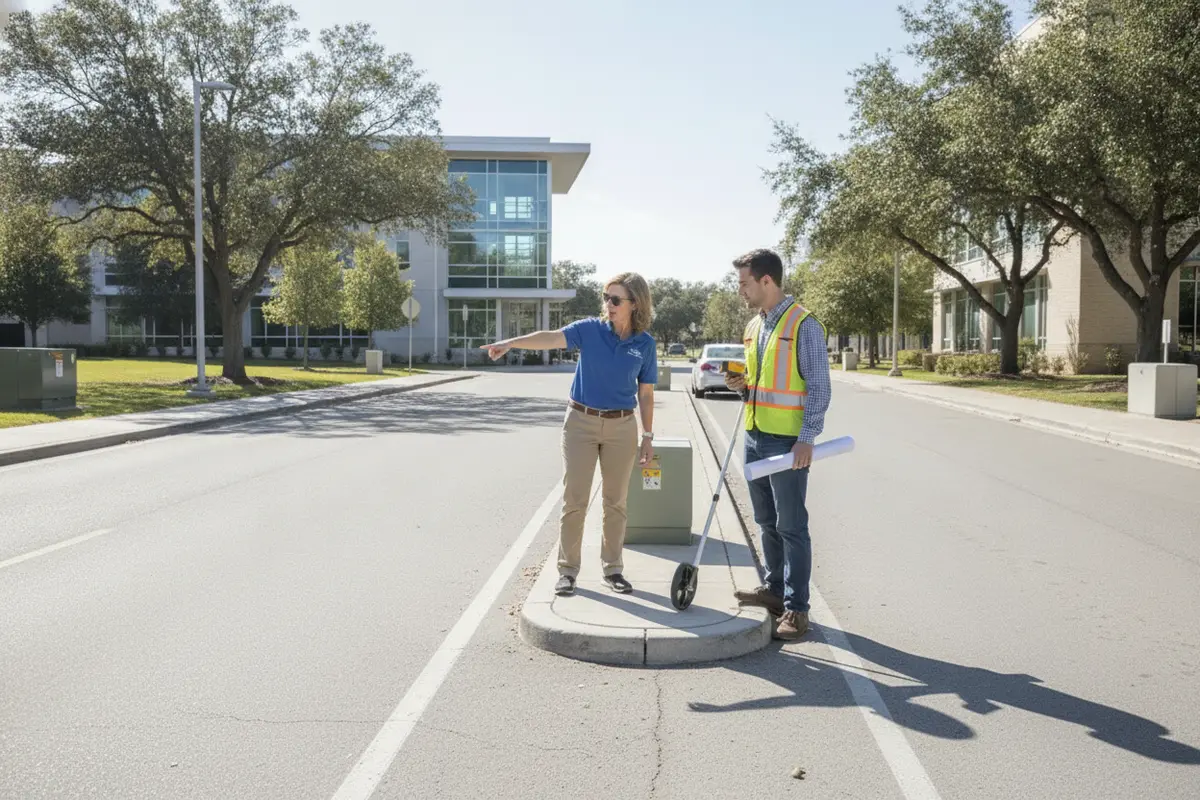
Assess the site from the perspective of the intended viewer. Map the vehicle approach, pedestrian routes, entrances, nearby intersections, landscaping, and likely obstructions. Consider the speed and direction of travel. A driver has less time to read a message than someone walking toward a building or waiting near an entrance.
Viewing distance affects display dimensions and the amount of information that can be read. Avoid planning around a screen specification alone. Ask the project team to review the actual sightline and test message layouts at representative distances. Use brief wording, strong contrast, and a clear hierarchy. Reserve detailed information for channels that people can consult at a safe stopping point.
Brightness should respond to the site’s lighting conditions and operating needs. A display that is difficult to see in daytime may not serve its purpose; excessive brightness after dark can create glare or distract nearby road users. Discuss viewing direction, surrounding light, operating hours, and how brightness will be adjusted. Confirm what controls the system provides and who is responsible for setting or reviewing them.
At the site walk, document potential issues such as tree growth, parked vehicles, building shadows, changing sun angles, and nearby lighting. An early review helps the team avoid choosing a location based only on an attractive rendering or an available patch of ground.
A practical walkthrough can follow the same route a family or visitor would take. Start far enough away to represent the vehicle approach, then examine the view from each direction of travel. Note where the sign first becomes visible, whether a turn or driveway decision happens before there is time to read it, and whether parked buses or seasonal landscaping could block it. Repeat the review on foot near the main entrance. Photographs taken from these points help the project team compare candidate locations and identify sightline issues before drawings are finalized.
Ask reviewers to judge sample messages, not just a blank screen. A long event announcement may look legible in a close-up rendering but become difficult to absorb at the actual approach distance. Test a short headline, a date or time, and any secondary detail the school expects to display. If the message only works when crowded with text, simplify the content plan or reconsider what belongs on the sign. Review daytime and evening conditions where the display will operate, and record who will verify and adjust settings after installation.
What content controls help keep school messaging clear?
Content governance is part of the sign system, not an afterthought. Before procurement, define how authorized staff will access the content platform, what approval is required, and how messages will be scheduled and removed. A simple written process reduces the chance of outdated or unapproved messages remaining on the display.
Agree on a readable message format. Use concise language and communicate one main idea at a time. Establish limits for the number of lines, abbreviations, and message rotation. Check that the type size and contrast remain legible from the planned viewing distance. If several schools will share a system, decide which standards are district-wide and which can be adapted locally.
- Limit publishing access to designated staff and use individual accounts where the platform supports them.
- Set an approval path for routine messages and a separate, clearly assigned path for urgent updates.
- Use start and end dates so event information does not remain displayed after it is relevant.
- Review messages on the physical display after publication, including spelling, line breaks, brightness, and timing.
- Document account handoffs when staff roles change and maintain a current list of authorized users.
Ask vendors to explain the content-management options in practical terms: who can publish, how changes are made, whether updates can be scheduled, and what happens if network access is interrupted. Confirm that the proposed workflow matches staff capacity. A feature-rich platform is of limited value if no one has time or training to operate it consistently.
Make the workflow tangible with a sample message cycle. A staff member submits an event notice with its audience, start date, and expiration date. The designated reviewer checks accuracy, wording, and timing, then the authorized publisher schedules it. After it appears, someone verifies the live display and confirms that the message is readable from the intended approach. At expiration, the message is removed or replaced. A short written checklist can assign each handoff and provide an alternate approver for absences.
For urgent communications, define the distinction between urgency and ordinary priority in advance. Decide which role may approve an immediate update, how the publisher will reach the display if normal network access is unavailable, and what staff should do if the screen does not update. The sign should fit into the district’s broader communications process rather than being treated as the sole channel for important information. Train backups and periodically walk through the steps, so access, approval, and escalation do not depend on one person remembering an informal routine.
How do safety and accessibility shape the location?
Evaluate the sign as part of the campus environment. Its foundation and placement must suit the site, and installation activity must be coordinated with school operations. Review sightlines near driveways, pedestrian crossings, drop-off areas, and other locations where the display could compete for attention. Coordinate the proposed placement with facilities staff and relevant local reviewers before finalizing the design.
Consider how people approach the campus on foot as well as by vehicle. The sign should not obstruct circulation, accessible routes, entrances, or visibility at vehicle conflicts. Discuss the location with the school’s facilities and safety representatives, and confirm any applicable project requirements with the authority having jurisdiction (AHJ). Requirements can vary by site and sign type, so avoid assuming that a prior campus approval applies to a new installation.
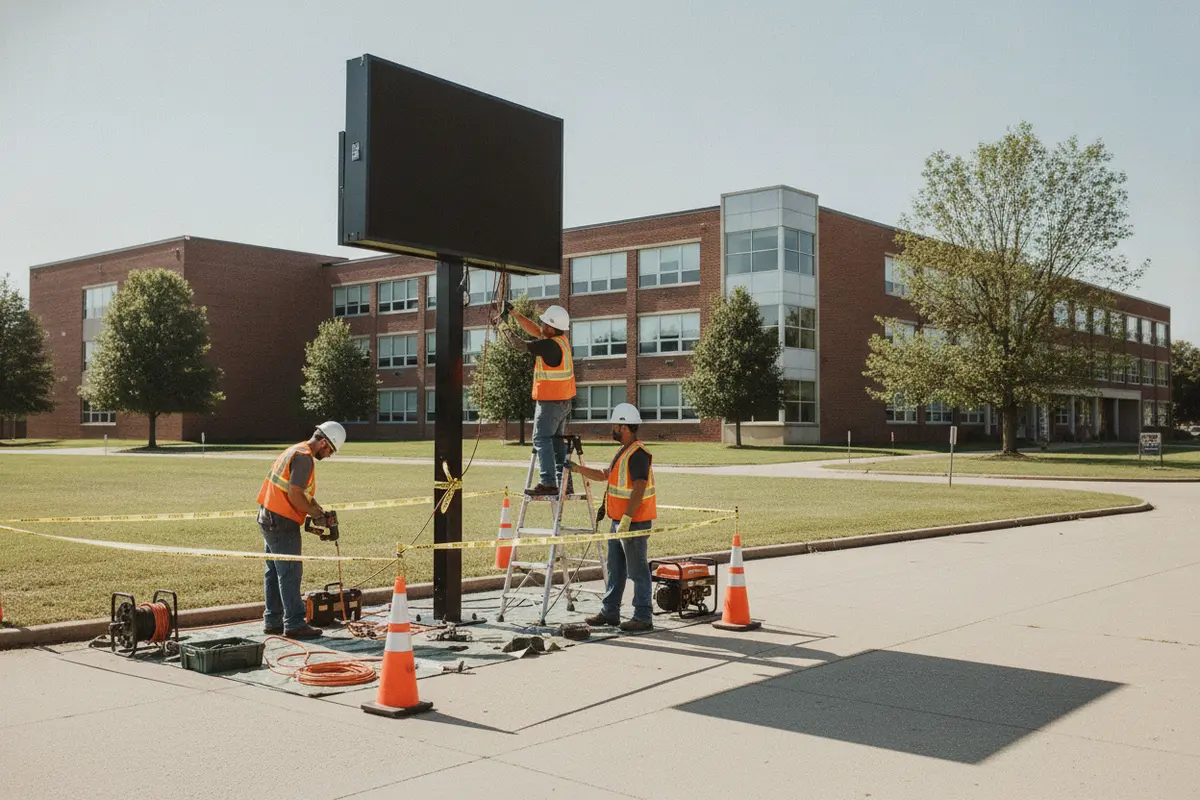
Safety planning also includes the installation phase. Identify school hours, arrival and dismissal windows, restricted areas, utility locations, equipment access, and any need to separate work zones from students and visitors. Build these constraints into the schedule and contractor plan. For related campus or site signs, review the school’s road sign options as part of a broader wayfinding discussion.
Use a site review to bring the relevant disciplines together rather than collecting comments in isolation. Facilities staff can identify underground or surface constraints and routine campus operations. School safety representatives can explain busy circulation periods and areas that must remain clear. The project team can compare the proposed structure and service access with the campus layout. Procurement can make sure decisions and approvals are recorded. A shared set of marked-up site photos or a plan drawing gives everyone a clear reference and makes it easier to resolve conflicts before fabrication.
Accessibility and circulation deserve a specific check, not a general assumption that a sign near the entrance is harmless. Walk the accessible path and check whether the proposed foundation, construction fencing, or maintenance access would narrow or interrupt that route. Consider people arriving from parking areas, transit, or drop-off points, and identify where visitors need directions. A digital message board can complement permanent wayfinding, but it should not create confusion about entrances or block existing identification. Confirm these issues with the district’s responsible reviewers and the authority having jurisdiction.
What permits and approvals may be needed in Winston-Salem?
Confirm the applicable review process early. Sign requirements can depend on the property, sign type, dimensions, placement, illumination, and other local conditions. Start with the property owner or district representative, then identify the local authority that reviews the proposed sign. Ask what drawings, applications, engineering information, or other materials must be submitted and whether separate reviews are involved.
The City of Winston-Salem’s sign permitting page states that an application and plans are submitted through GeoCivix for a sign permit. Check the current city instructions directly and confirm whether that process applies to the specific school property and project. Do not assume that a sign is exempt or that an existing approval covers a replacement or changed installation.
Build review time into the project schedule. A permit package may require coordinated information about the proposed location, sign construction, dimensions, electrical work, and installation. Ask the sign partner to identify who will prepare and submit each item, track review comments, and coordinate revisions. Keeping one current set of plans helps the district, contractor, and reviewers work from the same information.
For a larger campus program, document approvals by site. Different properties or jurisdictions may have different requirements. A tracker can list each campus, responsible contact, application status, requested revisions, approval conditions, and the date installation can proceed.
Before a submittal, check that the project team is using one coordinated design package. The location plan should identify the intended sign position and relevant site context; the sign information should match the proposed dimensions and configuration; and any required technical details should correspond to the actual equipment and installation. Ask the reviewer or responsible project professional what the jurisdiction needs rather than assuming a generic package will be accepted. A simple completeness review can catch mismatched dimensions, outdated site drawings, or missing signatures before they become review comments.
Keep a decision log alongside the permit tracker. Record who confirmed the applicable process, what plans were submitted, when comments arrived, who owns each response, and whether the design changed. If a revision affects the location, foundation, electrical route, or sign dimensions, identify whether the updated information must be resubmitted or separately approved. This creates a clear record for facilities and procurement and helps avoid treating informal feedback as final authorization to proceed.
How should electrical and network coordination be planned?
Coordinate utilities before fabrication and installation. Confirm the intended power source, the route to the display, connection responsibilities, and any site work needed. A qualified project team should review electrical requirements for the chosen equipment and determine what work must be performed by an appropriately qualified electrical contractor. Do not rely on assumptions about an existing circuit or nearby connection.
Decide how the display will receive content updates. The options available depend on the equipment and site conditions; confirm whether the project calls for a network connection or another supported method. Involve the district’s technology team where relevant. Review connectivity, access controls, signal coverage, and who will troubleshoot a connection problem. Keep technology responsibilities distinct from sign structure and electrical responsibilities, but coordinate them in the same project schedule.
Carolina Signs and Wonders describes capabilities across design, permitting, engineering, fabrication, installation, and service. For schools comparing providers, ask how those project stages will be coordinated and who remains accountable for open items. The company’s digital signage services and sign installation services pages provide starting points for discussing scope.
Use a responsibility checklist to make handoffs explicit. Identify who confirms the available power source, who determines the required electrical work, who arranges any network access, and who tests the display’s content connection. Add the responsible contact and target date for each item. If the display relies on district network access, ask the technology team what information or approvals it needs before equipment is installed. If the connection method changes during planning, update the scope and schedule rather than leaving the installer and school IT staff to resolve it on site.
Include both a normal-operation test and a failure scenario in the handoff plan. Confirm that an authorized user can publish and update a message, then identify whom staff should contact if the display loses power, cannot connect, or does not show the scheduled content. Document which team diagnoses each type of problem and what basic information staff should collect, such as the time noticed and the display’s current status. This makes the first response more useful and clarifies the boundary between facilities, technology, and service responsibilities.
What should the school compare when selecting a system?
Compare systems against the site and operating plan, not just the initial equipment description. Ask each project team to address visibility, environment, content operations, installation coordination, and service. A clear comparison helps procurement stakeholders distinguish requirements from optional features.
| Planning area | Questions to resolve | What to document |
|---|---|---|
| Viewing conditions | Who needs to see the board, from where, and at what time of day? | Site photos, approach directions, sightlines, and operating hours |
| Display and messages | What information will be shown, and how will legibility be reviewed? | Approved message standards, layout examples, and brightness controls |
| Content governance | Who can draft, approve, publish, and remove messages? | Named roles, account process, approval steps, and training needs |
| Permitting and engineering | Which reviews apply, and who prepares and tracks submissions? | Permit responsibilities, plan requirements, review status, and conditions |
| Utilities and connectivity | How will power and content updates reach the sign? | Electrical scope, connection plan, technology contacts, and testing steps |
| Installation and service | How will work be staged around school activity, and how will issues be handled? | Work windows, safety coordination, service contacts, and maintenance plan |
When evaluating physical options, compare the sign’s purpose and site fit rather than treating every format as interchangeable:
- Freestanding display: Can suit a campus entrance or approach where the site supports a dedicated structure and clear viewing angle.
- Building-mounted display: May be considered when the building face offers a suitable location, subject to structural, electrical, visibility, and approval reviews.
- Digital component within a larger sign program: Can pair changing messages with static identification or wayfinding elements when the campus needs both. Review the overall sign plan and avoid cluttering the message area.
Each option needs a site-specific evaluation. Confirm dimensions, mounting conditions, message use, lighting, access for service, and local review before approving a final configuration. The LED sign service overview and custom sign capabilities can help frame a project discussion.
For a useful proposal comparison, ask each respondent to address the same assumptions. Share the planned location, message use, viewing conditions, operating hours, content roles, and known schedule constraints. Then compare what each proposal includes, what remains the school’s responsibility, and which items still need confirmation. If a proposal assumes an electrical connection or network path that has not been verified, list that as an open item rather than treating it as a settled scope. This approach makes differences visible without reducing the decision to equipment features alone.
Separate required criteria from preferences. Required criteria might include a workable site layout, an identified approval path, a content process staff can maintain, and a documented installation plan. Preferences may include a particular interface or additional scheduling convenience. Ask for an explanation of how each proposed feature addresses a real campus need. Procurement teams can then weigh scope, accountability, and project coordination consistently, while facilities and communications staff can confirm that the selected solution can be operated after installation.
How can installation be coordinated with the school calendar?
Agree on sequencing before the equipment is ready to install. Coordinate the planned work window with school leadership and facilities staff. Account for arrival and dismissal, student events, deliveries, restricted access, and any periods when the campus is closed or less active. Confirm who can authorize site access and how schedule changes will be communicated.
Before mobilization, verify that required approvals are in place, the site is ready, access and staging are understood, and utilities have been coordinated. The responsible team should confirm that the approved plans match the work being performed. If a field condition differs from the plan, pause and resolve it through the appropriate project and review channels rather than improvising a change.
At completion, define what the school expects to receive. This may include operating instructions, training for designated staff, warranty or service information, closeout documents, and confirmation that the display and content workflow have been tested. Include the district’s relevant technology and facilities contacts in the handoff.
Work backward from the desired in-service date. List the decision points that must happen first, such as confirming the site, completing required reviews, coordinating utilities, approving final plans, and agreeing on a safe work window. Ask the project lead to show the dependencies, not just a target installation day. For example, the campus may need to arrange access or the technology team may need to approve a connection before commissioning can be completed. If a review or site condition changes, update the schedule and communicate the effect to each stakeholder.
Clarify the day-of-work plan before crews arrive. Identify the access route, staging area, designated school contact, arrival time, and areas that must remain open. Confirm how the work zone will be separated from normal campus circulation and who can pause work if school operations or weather conditions require a change. At closeout, walk through the installation with facilities staff, inspect the site, test a sample message, and record open issues with an owner and follow-up date. A clear handoff prevents the installation date from being mistaken for the end of project coordination.
What maintenance protects long-term performance?
A maintenance plan should identify the person who notices issues, the person who reports them, and the service contact who responds. Establish a routine visual check for display operation, image quality, brightness, visible damage, and the condition of the surrounding site. The correct inspection frequency depends on the equipment, environment, and service arrangement.
Keep a simple log of outages, content-platform issues, repairs, and recurring concerns. Record when an issue began, what staff observed, and whether the display or connection returned to normal. This information can help the service team diagnose problems and help the district recognize patterns.
Also review content access and ownership periodically. Remove permissions that are no longer needed, confirm staff know how to publish approved messages, and test the process for urgent updates. Keep current contact details for facilities, technology, procurement, and the service provider. A maintained contact list helps prevent minor problems from remaining unresolved because no one knows who owns the next step.
For a campus with multiple signs, include the display in the district’s broader asset and service records. Track the location, equipment details, approval documents, service history, and responsible contacts. Carolina Signs and Wonders also provides signage services that can be discussed when planning installation and ongoing support.
Turn routine checks into a short repeatable procedure. The assigned staff member can verify that the display is operating, look for visible damage or unusual brightness, and confirm that scheduled content is current. The check should not require staff to troubleshoot electrical or technical work beyond their role. Instead, it should explain how to record an issue, who receives the report, and what information to include. For example, a report can note the time, affected message, whether the screen is on, and any visible change at the site.
Set a response path for issues that affect communication. Decide who determines whether a message can be corrected through the content platform, whether a facilities or technology contact needs to investigate, and when to involve the service provider. Maintain contact details and relevant project documents in a location accessible to the staff who may need them. Review the process when responsibilities change, and use service history to flag recurring problems or training gaps. Consistent records support informed follow-up without promising a specific equipment lifespan or service outcome.
Discuss your school’s sign project
Frequently Asked Questions
How early should a school begin planning a digital message board?
Begin while the school can still review goals, location, utilities, approvals, and installation constraints before locking in a schedule. The appropriate lead time depends on the site, review process, equipment, and project scope, so confirm milestones with the project team and relevant authorities.
Who should be involved in a school message board project?
Include a decision-maker from school administration, facilities, procurement, and the staff responsible for communications. Bring in technology, safety, property, and electrical stakeholders when their responsibilities apply. Identify one project lead to coordinate decisions and follow-up.
Can one content process serve multiple schools?
A district can establish shared standards and roles, but each campus may have different audiences, locations, and operating needs. Set common rules for access and approvals, then define which messages or local details each school may manage.
Does a digital message board need a permit?
Requirements depend on the specific property and proposed sign. Confirm the applicable rules and review process with the relevant authority before procurement or installation. The City of Winston-Salem’s sign page provides current local permit guidance for projects within its jurisdiction.
What should happen before the sign is put into service?
Confirm that installation and required reviews are complete, test the display and content-update process, train authorized staff, and provide the school with operating and service information. Check a live message from the intended viewing areas and confirm it is legible under expected conditions.
Ready to plan a school message board?
A successful project brings communication goals, site conditions, approvals, utilities, operations, and maintenance into one coordinated plan. Carolina Signs and Wonders works across signage project stages; review its sign project portfolio and outline the needs of your campus before requesting a consultation.
Get a quote for your school signage project
With clear responsibilities and site-specific planning, school leaders can move from a general communication need to a practical, maintainable sign project.


