


Planning digital outdoor signs starts with more than choosing a screen. The location, viewing distance, sunlight, power, permitting, structure, content workflow and installation sequence all affect whether a display serves its purpose reliably. A disciplined plan helps facilities, marketing, construction and procurement teams make decisions before fabrication begins.
Request a quote for your outdoor display project
Use this guide to align stakeholders and define the project scope. For a broader view of outdoor digital signs, review the digital signage service information alongside the site-specific questions below.
What should digital outdoor signs accomplish?
Start by defining the audience, message and action the display should support. A display at a campus entrance may need to identify the site and direct visitors. One at a community venue may communicate changing schedules. A corporate property may use it to reinforce identity and provide timely information. These goals influence placement, display size, content controls and the people who need access to the system.
Write a brief that answers these questions before comparing equipment:
- Who needs to see the display: drivers, pedestrians, visitors, employees or several groups?
- What is the primary task: identify a destination, share updates, announce events or support wayfinding?
- Will messages change frequently, or will the display show a stable set of information?
- Who will create, approve, schedule and publish content after installation?
- What brand standards, required messages or approval steps must be followed?
Keep the primary purpose distinct from optional uses. Trying to make one screen serve every audience can create clutter, slow approvals and make messages harder to read. If the display must perform several roles, document their priority and establish rules for what appears first.
How should you evaluate a digital sign location?
A good location balances visibility with safe access, constructability and local approval. Review the approach from the intended viewer's perspective, then confirm that the site can physically and electrically support the proposed sign.
Walk the site at different times of day when practical. Note vehicle and pedestrian paths, approach angles, likely viewing distance, existing landscaping, nearby structures and possible visual obstructions. Observe whether the sign would compete with other messages or sit behind trees as they grow. A site survey should also record the proposed sign position, dimensions, ground or wall conditions, access for installation equipment and any known underground or overhead constraints.

Do not select a position from a plan view alone. A sign that looks clear on a drawing may be screened by parked vehicles, a building corner or a change in grade. Confirm the intended sightline with the relevant project team and document assumptions. For a multi-building campus or a property with multiple entrances, map each sign to the route and decision point it serves.
Separate visibility from legibility. The display may be visible from a distance yet show text that cannot be understood in the available viewing time. Message length, contrast, layout and display dimensions should be considered together. Ask the design team to assess how content will appear from the actual approach, not only on a desktop proof.
What site conditions can affect display performance?
Sunlight, weather exposure, temperature, orientation and surroundings should inform the display specification. An outdoor screen faces conditions that an indoor display does not, so equipment selection needs to reflect the installation environment.
Record whether the screen will face direct sun during important operating hours. Note reflections from glass, nearby lighting, trees and buildings. Consider rain exposure, dust, wind, seasonal temperature changes and the level of routine maintenance access available. These observations help the project team discuss brightness, enclosure, mounting and service requirements with the display manufacturer.
Ask vendors to state the intended operating environment and the maintenance assumptions behind their recommendations. Confirm how the screen can be accessed for inspection or repair, whether service access can be performed without disrupting normal operations, and what warranty or support terms apply. Avoid treating a product specification as a substitute for evaluating its installed conditions.
ENERGY STAR's signage displays guidance is one reference for planning display equipment and its energy considerations. It is not a project-specific electrical design or a substitute for verifying local requirements and actual site conditions.
How do power and connectivity shape the plan?
Confirm power availability, electrical scope and network responsibilities before the display is ordered. A late discovery about the electrical route or communications connection can force design changes, create trade coordination issues or delay installation.
During early planning, identify the nearest suitable power source and ask the project team to verify capacity, routing, disconnect requirements and the work needed to reach the sign. The correct approach depends on the site and equipment. Have qualified professionals determine the applicable electrical design and code requirements rather than assuming that an existing circuit is adequate.
Connectivity needs depend on how the display will be managed. Establish whether content will be updated through a wired network, a wireless connection or another supported method. Confirm signal availability at the proposed location, who supplies the connection, who manages access credentials, and what happens if the display temporarily loses connectivity. If the display will be managed through a content platform, assign ownership for setup, user permissions, updates and escalation.
For projects involving a general contractor or facilities team, place sign power and communications on the coordination list with other site utilities. Clarify who provides conduit, penetrations, circuits and final connections. A single project plan should show the boundaries between sign fabrication, electrical work, site work and network support. Carolina Signs and Wonders coordinates signage from design and permitting through fabrication and installation; teams can review the wider signage services scope when defining those interfaces.
Which display approach fits the project?
Choose an option by matching the display's role, site conditions and operating plan, not by comparing screens in isolation. The table below is a planning tool, not a product specification. Final recommendations depend on the project brief and site review.
| Planning consideration | Fixed or limited-update display | Digital message display | Integrated digital sign project |
|---|---|---|---|
| Primary use | Stable identity or information | Messages that change over time | Digital display within a coordinated sign system |
| Content workflow | Design changes managed as project updates | Content owner, approval process and publishing access required | Workflow must align with brand, site and technology requirements |
| Early site questions | Placement, visibility, structure and approvals | All site questions plus power, environment and connectivity | All display questions plus interfaces with other sign types and trades |
| Operational planning | Inspection and condition monitoring | Content scheduling, user access and display support | Consistent standards, service ownership and coordination across locations |
- Consider a stable display approach when the information rarely changes and a screen is not necessary to meet the communication goal.
- Consider a digital message display when timely content changes are central to the use case and an accountable content owner is available.
- Consider an integrated sign plan when the display must coordinate with entrance identification, wayfinding, building signage or other branded elements.
Digital displays may also be part of a wider illuminated sign program. Review LED sign options where relevant, and compare them with the objectives in the brief rather than treating every illuminated application as interchangeable.
What approvals and permitting should be checked?
Confirm approval requirements with the authorities and property stakeholders responsible for the site before committing to final design. Sign rules can vary by jurisdiction, property, sign type and location, so do not assume that a prior approval elsewhere applies.
Build an approval checklist with the project owner. It may need to address zoning or sign regulations, landlord or campus review, design standards, building or electrical review, structural documentation, illumination or operating conditions, and any required application materials. The exact requirements should be verified with the applicable authority and property representative.
Set responsibility for each submission. Identify who prepares drawings and technical documents, who submits them, who answers review comments and who tracks approval status. Include the review sequence in the project schedule, but avoid setting a fabrication release date that depends on approvals not yet received. If a revision changes the size, location, support structure or electrical plan, confirm whether it affects prior reviews.
For projects across several sites, maintain a location-by-location approval tracker. Record jurisdiction, property contacts, required materials, submission status, comments and approved drawings. This creates a clear record and reduces the risk that one site's permit assumptions are mistakenly carried into another. Carolina Signs and Wonders' sign installation service can be considered as part of planning for a coordinated project scope.
How can you prepare content and brand standards?
Set content rules and visual standards before launch so the display remains useful after installation. A screen is a communication system as well as a physical sign, and both need an owner.
Define who is authorized to publish, whether messages require review, how urgent updates are handled and how outdated information is removed. Establish a simple schedule for routine content checks. For a multi-location program, document approved logos, colors, typography, message hierarchy and image treatment. Local teams may need some flexibility, but centrally controlled elements should remain consistent.
Keep each message focused. Use a clear priority, short wording and readable contrast. When the viewer is moving, the time available to understand the message is limited. Review content at the actual display size and from a realistic viewing distance. If there are multiple messages, establish their order and rotation expectations instead of adding content until the screen feels crowded.
ENERGY STAR recommends planning what digital signs will display, which reinforces the value of defining content use alongside the hardware. Make the content plan part of acceptance and handoff: list initial messages, test the publishing workflow and train the people who will maintain it.
What should a project schedule cover?
Sequence the work around decisions and dependencies, not just the installation date. A project schedule should make clear what must be resolved before the next team can proceed.
- Scope and stakeholder alignment: Confirm purpose, audience, locations, brand standards, budget process and decision-makers.
- Site review: Verify placement, viewing conditions, mounting context, access, power and communications assumptions.
- Concept and engineering: Develop the proposed sign, supporting details and electrical coordination for review.
- Approvals: Submit required materials, address comments and record approved documents before release.
- Fabrication and site readiness: Coordinate production with access, groundwork, utilities, equipment and other trades.
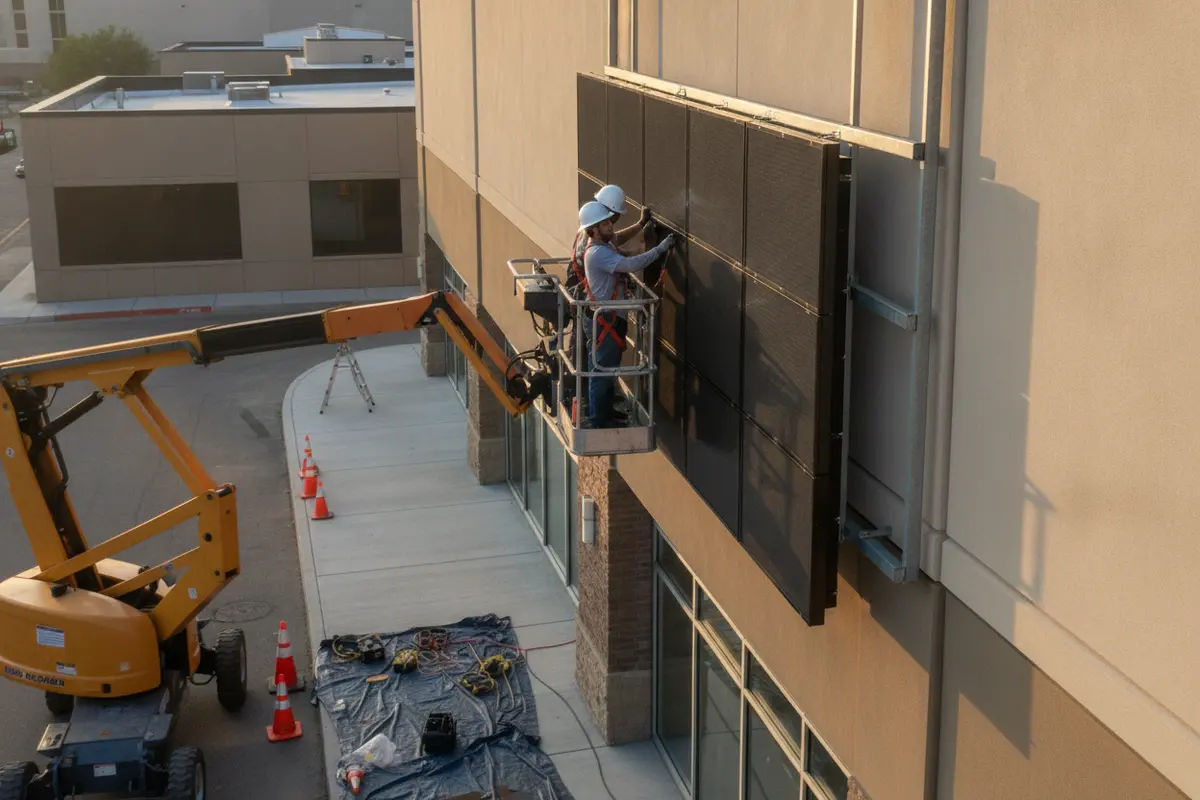
- Installation and commissioning: Install, connect and test the display and confirm the content workflow.
- Handoff and service: Deliver the relevant records, assign content owners and define how issues will be reported.
For a multi-location project, the sequence may repeat by site while some design and content decisions are standardized centrally. Maintain a shared project tracker with each location's readiness, approvals, dependencies, assigned owner and open issue. Raise changes early, especially when a site condition differs from the assumptions used for design.
What should you include in a quote request?
A useful quote request gives the sign partner enough context to identify scope, dependencies and unresolved questions. You do not need every final engineering detail to begin a discussion, but the more complete the brief, the more productive the review.
- Project purpose, audience and preferred display function.
- Site address or location list, property contact and available site drawings or photographs.
- Proposed sign location, approximate dimensions and visibility goals, if known.
- Brand standards, reference designs and any campus or property requirements.
- Known power and network information, plus the people responsible for those systems.
- Approval or permitting steps already identified and any project dependencies.
- Desired project milestones, installation access limits and operational constraints.
- Expected content owner, update frequency and support expectations after launch.
Include decision-makers from facilities, marketing, construction, IT and procurement where their input affects the scope. Tell the project partner which items are confirmed and which remain assumptions. A clear distinction helps avoid treating preliminary information as an approved design direction.
For projects that also involve entrance identification or site navigation, compare the digital display with the broader sign family. A monument sign plan may be relevant to the property's primary entrance, while building and directional signs may need their own coordinated roles. See examples in the sign project portfolio to discuss visual approaches, without assuming that another site's design or approval transfers to yours.
Request a quote for a coordinated digital signage project
Frequently Asked Questions
Do digital outdoor signs need a permit?
Approval requirements depend on the location, property and proposed sign. Check with the applicable jurisdiction and property stakeholders before finalizing the design, and confirm which drawings or technical documents they require.
What information is needed before selecting a display?
Begin with the display's purpose, audience, location, viewing conditions and content plan. Then verify environmental exposure, power, connectivity, mounting and service access with the appropriate project professionals.
Who should manage content after installation?
The organization should name a content owner and define who can create, review, schedule and publish messages. Document access permissions and a process for removing outdated or urgent information.
Can one digital sign plan be used at several locations?
A shared standard can support brand consistency, but each site still needs its own review of placement, conditions, approvals, utilities and installation access. Track local requirements and exceptions separately.
Ready to plan your outdoor display?
A successful digital display project connects the communication goal to a buildable, approved and supportable site plan. Resolve key decisions early, assign clear owners and coordinate design, permitting, fabrication, electrical work, installation and content handoff as one project. Learn about Carolina Signs and Wonders, then call to discuss your project scope and request a consultation-based quote.
Call to discuss your outdoor digital sign project and request a quote to align on your scope and next steps.


