


Interactive displays can make mall wayfinding more useful, flexible, and responsive than a static directory alone. They can help visitors locate stores, services, amenities, parking areas, and exits while giving property teams a structured way to update information. This guide explains how to plan a complete wayfinding system for owners, developers, property managers, facilities teams, architects, marketing groups, and procurement teams.
What should interactive displays accomplish in a mall?
A useful display should answer a visitor's immediate question with as few steps as possible. Define whether it will support a directory, map, searchable store list, event message, or directions. It should use the same naming, colors, symbols, and destination logic as the property's physical signage. The display is one part of a larger system, so its content should support the signs that visitors encounter before and after using the screen.
Start by writing down the questions the display must answer. A visitor may need to find a retailer, determine which floor contains a restaurant, locate a restroom, identify an elevator, return to a parking area, or understand a temporary detour. Each question affects the map structure, search categories, route logic, and amount of information shown at once.
- Help visitors find retailers, restaurants, services, entrances, and amenities.
- Show the current location and a clear route to the destination.
- Identify elevators, escalators, restrooms, customer service, and accessible paths.
- Provide timely information about construction, closures, events, and temporary routes.
- Support more than one level, building, entrance, or parking connection when the property requires it.
- Give property teams a controlled way to review and correct directory information.
Keep route information distinct from promotional content. If the property wants to show events or tenant messages, decide where those messages appear and how they behave when someone is actively searching. A visitor should not lose a route because a promotional panel takes over the screen.
Define a successful visitor interaction before choosing the interface. For example, the team might require a visitor to identify a destination, see the correct floor, understand the first turn, and begin walking within a few interactions. That simple test can expose an overloaded home screen or a search system that uses internal property terminology instead of the names visitors know.
How should the team assess the mall before specifying a display?
Review the property as a visitor would experience it. Walk from parking areas to entrances, through major corridors, between buildings, and toward anchor destinations. Record where people make decisions rather than choosing locations only because they have unused wall space. A display is most useful when it appears before a confusing junction, near a major entrance, or at a central point where several routes begin.
Document primary entrances, parking connections, vertical circulation, anchor destinations, food areas, restrooms, customer service points, and routes between buildings. Record sightlines, viewing distance, glare, ambient light, surrounding distractions, power, data, network access, clearances, cleaning activity, mounting conditions, and construction phasing. A prominent entrance display may need a different enclosure and mounting method than one near a parking connection.

Use a location schedule for every proposed display. Useful fields include location name, level, nearby destinations, intended viewing direction, mounting surface, power responsibility, data responsibility, access requirements, approved content, and expected installation window. Include photos and plans so that design, facilities, electrical, and installation teams are reviewing the same conditions.
Also study how visitors move during busy periods. A display that works in an empty corridor may create a queue or obstruct circulation during a peak period. Check the approach zone, the space beside the user, and the route beyond the display. The plan should leave enough room for people to pause without blocking people who are continuing through the property.
Assess more than the immediate screen location. A visitor may approach from several directions, stand at an angle, or read the display while carrying bags or accompanying children. Review the screen from each approach and note whether a column, storefront, seasonal installation, or queue hides it. If the display is visible but difficult to reach, the team should adjust the location or provide a nearby physical sign that directs visitors to it.
Which content and map decisions should be made first?
Plan content before selecting final hardware. Define destination categories, naming conventions, search behavior, map orientation, route instructions, and the process for corrections. Decide how the system will handle alternate names, tenant rebrands, multiple levels, parking areas, closures, construction detours, and network interruptions. Assign an owner for directory data and a process for urgent changes.
Directory governance is often the difference between a useful display and an unreliable one. Create a source list for tenant names, suite or zone information, operating status, amenities, and temporary notices. Establish who can submit a change, who approves it, who publishes it, and who verifies it on the screen. A change log can record the request date, affected destination, approval, publication date, and person responsible for checking the result.
Map design deserves the same care as directory content. Use a consistent orientation and show the visitor's current location clearly. Distinguish public corridors from restricted areas, identify stairs and elevators consistently, and avoid displaying more detail than a visitor can use at the decision point. For a multi-level property, show which floor a destination occupies and explain transfers between levels in plain language.
Test common searches before launch. Include an anchor store, a lesser-known tenant, a restroom, customer service, a parking connection, an accessible route, and a destination with a similar name. Ask someone unfamiliar with the property to complete each search. Note where they hesitate, misread a symbol, or choose a route that seems reasonable but is not intended.
Build a content review around real operational moments. Test a tenant move, a temporary closure, a changed entrance, a holiday event, and a blocked corridor. For each scenario, document the exact screen or map element that changes, who approves the change, how quickly it must appear, and how staff confirm that the old instruction is no longer visible. This exercise turns a general update promise into a usable operating procedure.
How can the team compare interactive and static wayfinding options?
Interactive displays are not automatically the right answer for every location. Static signs provide immediate guidance in corridors, while interactive displays support search, frequent changes, and detailed maps at decision points. In most malls, the strongest result comes from coordinating both rather than replacing one with the other.
| Option | Best use | Planning needs | Ongoing responsibility |
|---|---|---|---|
| Interactive directory | Entrances and central areas | Power, data, mounting, interface, maps, and service access | Content updates, hardware checks, and network support |
| Static directional sign | Corridors and repeat routes | Hierarchy, durable materials, mounting, and sightlines | Cleaning, inspection, and replacement |
| Coordinated sign system | Multi-level or multi-building properties | Shared standards, approvals, fabrication, and sequencing | Program management and future coordination |
Compare the complete lifecycle rather than the screen alone. Consider the following questions:
- Will the destination list change often enough to justify a managed digital interface?
- Does the property have reliable power and network service at the proposed locations?
- Who will maintain maps when tenants move, entrances close, or construction changes a route?
- Can the display be serviced without creating a major disruption?
- Which corridors still need continuous physical guidance after a visitor leaves the display?
- How will the property keep colors, symbols, typography, and naming consistent across every sign?
Material and format decisions should follow the use case. A central directory may need a larger interface and protective enclosure, while a corridor sign may be more effective as a simple physical directional element. When comparing options, ask the project team to show the proposed visitor journey from arrival through destination, not just a rendering of the display.
- Choose interactive support when visitors need search, multiple destinations, changing information, or detailed multi-level maps.
- Choose static guidance when the route is stable, the decision is simple, and visitors need information while walking rather than while stopping.
- Use both together when a display starts the journey and physical signs must carry it through corridors, level changes, and final turns.
Review this office and corporate signage guide for related planning principles, the overview of commercial digital signage for digital communication considerations, and building signs for broader property identity and visibility decisions.
What accessibility and compliance details belong in the plan?
Review accessibility at the start, not after the interface and mounting details are complete. Consider readable text, color contrast, tactile or audible support where appropriate, reach ranges, clear floor space, route continuity, and the relationship between digital information and physical signs. The U.S. Department of Justice ADA information is a useful starting point. Confirm requirements for the specific property and have qualified professionals review the design when needed.
A digital route is not a substitute for a clear, accessible physical path. If a route includes an elevator, ramp, or other accessible feature, the map and directions should represent that route accurately. Avoid relying on color alone to distinguish destinations or route types. Use readable labels, familiar symbols, and enough contrast for the actual lighting conditions at the installation site.
Also coordinate landlord standards, municipal approvals, electrical requirements, structural review, fire and life-safety requirements, and construction procedures. Maintain an approval log with the responsible party, submission date, decision, and revision history. Procurement teams should request the documentation needed for review before fabrication begins, especially when the display is part of a larger construction project.
Include accessibility in user testing rather than treating it as a drawing review only. Check whether labels remain legible at the intended viewing distance, whether controls can be reached without blocking the route, and whether directions remain understandable when a visitor cannot rely on color or a single visual cue. Review the physical signs that complete the route as carefully as the display itself.
How should materials, mounting, and protection be selected?
Choose materials and mounting methods for the environment and service plan. A display in a busy public zone needs protection from incidental contact and must remain approachable without obstructing circulation. Confirm that the enclosure permits service access, finishes match nearby architectural signage, cables are routed safely, mounting suits the surveyed structure, and repairs can occur without rebuilding the sign program.
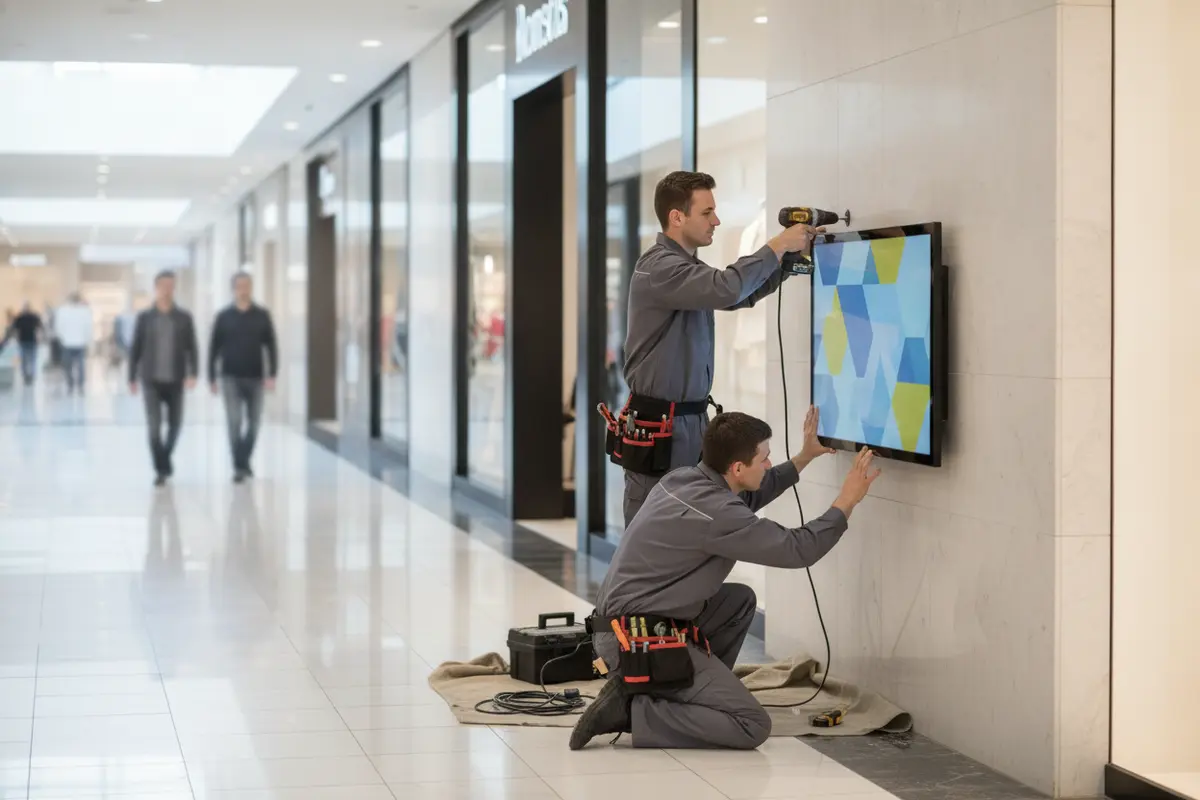
Material decisions should also account for cleaning products, touch frequency, glare, fingerprints, ambient light, and nearby food or service areas. Ask how the surface will be cleaned and how damaged components will be replaced. A finish that looks appropriate in a design presentation may require a different maintenance approach in a high-traffic public setting.
Consider the full visual system, not only the display housing. Physical directories, room identifiers, directional signs, storefront signs, and digital screens should feel related even when they use different production methods. Shared standards for color, spacing, symbols, mounting height, and terminology help visitors understand that each sign belongs to the same wayfinding program.
Separate appearance decisions from service decisions, then bring them back together during design review. Confirm who can open the enclosure, whether replacement components can be moved through the property, where tools or lifts may be staged, and whether maintenance can occur during approved work hours. A durable program is one that remains practical to inspect and repair after the installation crew leaves.
How should the team coordinate content, network, and service responsibilities?
Assign responsibilities before the system is ordered. Property management may own tenant data, marketing may own promotional messages, facilities may own the physical location, information technology may manage network access, and a signage partner may support hardware or service. These roles can overlap, but the handoffs must be written down.
Prepare a responsibility matrix that covers directory approval, map revisions, emergency notices, software access, network credentials, screen monitoring, cleaning, physical inspection, warranty questions, and service requests. Define which changes need immediate publication and which can wait for a scheduled review. The matrix should name a role or department rather than depending on one person being available indefinitely.
Plan for normal disruption. Construction can close a corridor, a tenant can move, a screen can lose network access, or an entrance can become temporarily unavailable. Decide what the display should show when current data cannot be reached. Keep a printed or static backup route where it makes sense, and make sure physical signs can still guide visitors when a screen is offline.
For organizations planning multiple properties, create a repeatable sign standard. A common content model, location schedule, approval process, and closeout package makes later installations easier to review. It also helps procurement compare proposals based on scope, accountability, engineering, installation, and service rather than on a single hardware line.
Use a simple service record for every display. Record its location, equipment details, content owner, network contact, inspection date, known issues, and last approved map. When a problem is reported, the record should help facilities staff distinguish a content correction from a network issue or a physical repair. That distinction improves handoffs and helps the property prioritize work without guessing.
How should installation be coordinated across a mall property?
Connect the sign schedule to mall operations and construction sequencing. Confirm delivery routes, loading access, work-hour restrictions, security procedures, temporary barriers, lift requirements, and areas that must remain open. Coordinate with property management, general contractors, electrical teams, network teams, and affected tenants.
Before fabrication, verify dimensions, mounting conditions, power and data pathways, approved drawings, interface content, and access equipment. A final site check can identify a conflict that is difficult to solve after a display has been built. Keep revisions organized so that the fabrication team and the field team are working from the same approved information.
A single accountable signage partner can coordinate design, permitting, fabrication, electrical coordination, installation, and service. Review commercial sign installation services, national installation partnerships, and signage services when evaluating a partner for a complex program. A completed project portfolio can also help the team understand how a provider approaches visible, coordinated work.
Before installation, prepare a location schedule identifying each display, mounting condition, power and data responsibility, approved interface, access requirement, and closeout document. After installation, verify orientation, visibility, route accuracy, map labels, accessibility features, network behavior, and nearby finishes. Photograph each completed location and record serial information, approved content, and service instructions for the property team.
Use a phased installation when the property must remain open or when the wayfinding system supports a larger renovation. A pilot location can expose glare, queueing, interface, or route problems before the team repeats them across the property. After the pilot review, update the standard details, content checklist, and installation sequence before releasing the remaining locations.
What information should be ready before requesting a quote?
A consultation is more productive when the project team can describe the property and the desired outcome. Gather site plans or photos, proposed display locations, destination lists, floor information, power and data conditions, brand standards, construction schedules, approval requirements, and content-management expectations.
Also identify the number of levels and buildings, the first installation phase, any known closures, the required physical sign family, and the parties who will review drawings. If the project is part of a rebrand, provide the approved identity standards. If it is part of new construction, provide the relevant architectural and electrical coordination information.
The scope should distinguish design, engineering, permitting, fabrication, installation, content setup, network coordination, training, service, and closeout. Custom signage projects require consultation-based quotes because site conditions, materials, access, approvals, and project scale affect the final scope. A clear brief helps the project team compare complete solutions and reduces avoidable coordination gaps.
Ask prospective partners to explain assumptions as well as deliverables. Clarify who surveys the site, who coordinates approvals, who supplies power and data, who prepares maps, who installs the displays, and who supports future updates. Request a proposed schedule with review points and identify the documents expected at closeout. These questions make proposals easier to compare and reduce the chance that an important responsibility is left between vendors.
Request a consultation for your mall signage program
Frequently Asked Questions
Are interactive displays enough for mall wayfinding?
No. They work best with coordinated physical signs. Static signs provide continuous guidance while interactive displays support search, detailed maps, and information that may change more often.
Where should a mall place its first interactive display?
Start where visitors make an important navigation decision, such as a primary entrance or central gathering area. Confirm sightlines, power, data, accessibility, circulation, and service access before approving the location.
How often does content need to be updated?
The schedule depends on tenant turnover, construction, events, and operations. Assign an owner for directory data and create a process for routine review and urgent changes.
What should a property team provide before requesting a quote?
Provide site plans or photos, destinations, display locations, power and data conditions, brand standards, construction schedules, approval requirements, and content-management responsibilities. This information gives the signage team a practical basis for scope and coordination.
How can a mall prepare for future changes?
Use a documented directory process, modular content standards, accessible route reviews, service access planning, and a location schedule that can be revised. Coordinate digital displays with physical signs so a tenant change or construction detour can be reflected throughout the visitor journey.
A well-planned interactive wayfinding program helps visitors navigate confidently while giving property teams a manageable framework for updates, service, and future growth.


