

When an outdoor commercial sign goes dark, shows yesterday's promotion, or loses a section of its display, the first hour should reduce risk and narrow the cause. Start from the ground. Record what is visible, when the problem began, and whether the whole sign or only part of it is affected.
Digital sign troubleshooting should cover three checks in order: the visible condition and surrounding safety risks, the sign's power and cabinet symptoms, and the content player, schedule, and network connection. You can safely verify the displayed message and note obvious damage from the ground, but do not open an energized cabinet, climb the structure, or work on the line side of a disconnect. OSHA requires an accessible disconnect for electric signs and outline lighting systems. See OSHA's requirements.
That quick sort helps your team send a useful service note instead of guessing at a repair. The next step is to separate a content problem from a power, cabinet, or display-module problem before anyone attempts a reset.
What should digital sign troubleshooting cover in the first hour?
In the first hour, the goal is to identify the symptom category before anyone opens the sign or starts replacing parts. Sort the issue into content, player, power, modules, or cabinet, then gather the details that point to the right next inspection.
That quick classification keeps a content problem from being treated like an electrical failure and helps a field team arrive prepared. It also gives the sign owner a clear description of what changed, what remains visible, and whether the problem affects the whole display or only one area.
- Content: The screen is lit, but the wrong message, an old message, or an incomplete message is showing. Check what the audience sees and compare it with the content that was intended to run.
- Player: The display has power, but playback is frozen, missing, or not responding as expected. Note whether the problem affects one player or multiple displays connected to the same system.
- Power: The sign or display is dark, intermittent, or behaving differently after a power event. A full-screen outage belongs in this category until the cause is narrowed further.
- Modules: Only a section of the display is dark, discolored, flickering, or visibly different from the rest. A localized pattern is useful evidence because it points away from a simple content mismatch.
- Cabinet: There are signs of water, unusual heat, a hot or humming power supply, or a breaker that trips again. These clues indicate a field electrical or enclosure concern rather than a content problem.
Record the time the symptom began, what the display showed before it changed, and whether the issue is consistent or intermittent. Photos taken from a safe position can help document the affected area without turning an initial check into an unsafe service attempt.
For businesses planning a new display or needing help with the system around an existing one, Carolina Signs and Wonders provides digital signs as part of its turnkey sign work. The Charlotte-based team handles design, fabrication, permitting, and installation in-house for sites across North Carolina and South Carolina.
How do you sort a dark screen from a wrong message?
Start with what the face is doing. A screen that is lit but showing the wrong or old message usually points to content, scheduling, time-zone, or network delivery. A dark screen, dead section, recurring breaker trip, or moisture inside the face points to a power, cabinet, or hardware problem. Your first check should stay visual and safely on the ground.
| Symptom | Likely layer | Safe ground check | Stop and call |
|---|---|---|---|
| Whole sign dark | Power, controller, or cabinet | Look from the ground. Note whether any indicator, border, or neighboring sign is lit, and photograph the face. | Call when the entire face remains dark. Do not open the cabinet or work a disconnect. |
| Screen lit but wrong or stale message | Content, schedule, time zone, or network delivery | Confirm the content login, scheduled message, time zone, and release or expiration window. Note the time. | Call if the schedule is correct but the sign still cannot receive the expected content. |
| One block or stripe of modules dead | Module, power, or cabinet connection | Look from the ground and photograph the exact dark area. Note whether its shape changes. | Call for a dead section. Do not climb, remove a face, or reach into the cabinet. |
| Image stuttering or frozen | Player, content delivery, video, or network connection | Note the time and whether the image is frozen, repeating, or intermittently blank. Confirm the content login. | Call if the issue persists after you confirm the scheduled content and capture a photo or short description. |
| Breaker trips again | Electrical or cabinet fault | From a safe position, note the time and what else lost power. Do not keep resetting it. | Stop after it trips again and call. A repeated trip is not a content problem. |
| Water, haze, or corrosion inside the face | Cabinet or electrical exposure | Look only from the ground and photograph the visible condition. Note recent rain or unusual heat if known. | Call promptly. Do not open the face or cabinet, climb, or touch wet electrical equipment. |
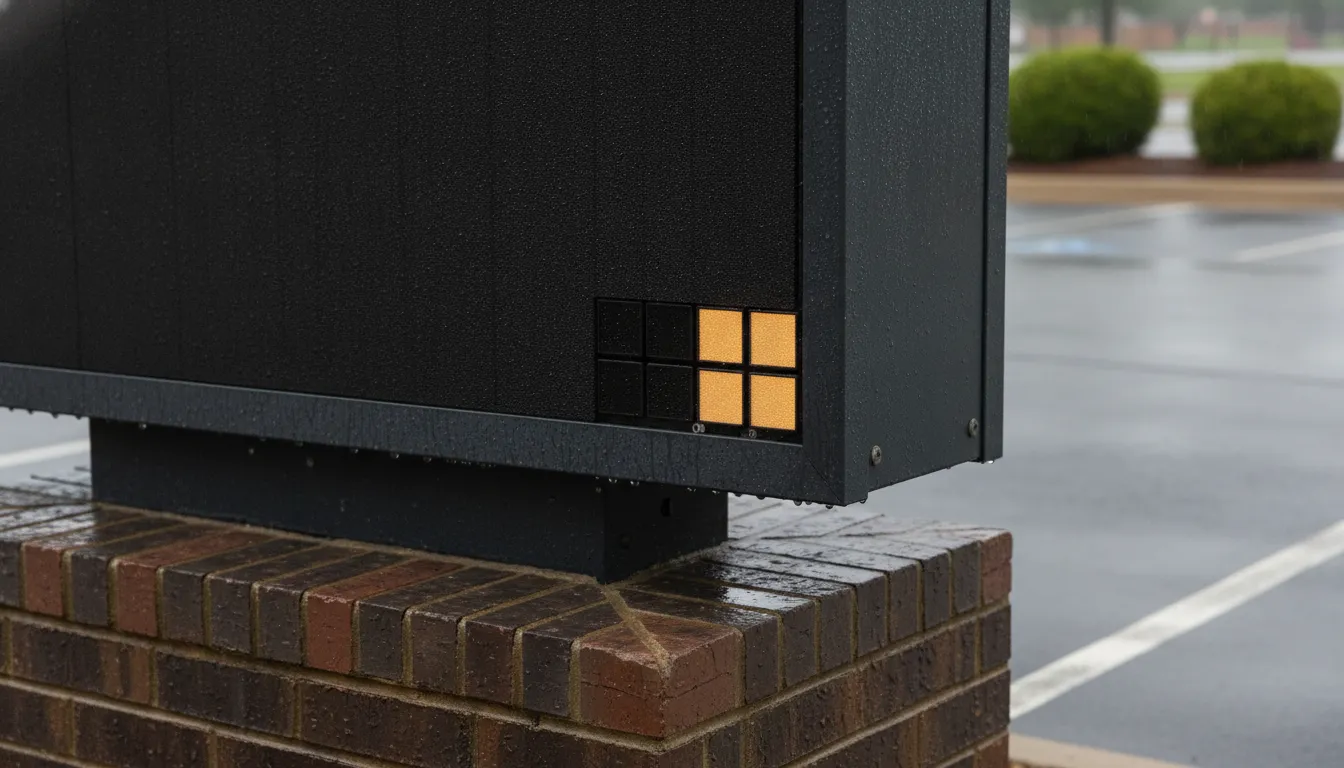
For an outdoor display, the safe handoff is simple: send the photo, the exact time, the symptom, and what you saw from the ground. If you are planning a replacement rather than sorting this incident, review our outdoor digital signs planning guide separately. Carolina Signs and Wonders can help coordinate the next step without asking your staff to diagnose energized equipment.
Which checks stay in the content system?
Start with checks that do not require opening a cabinet or climbing the sign. Verify building power, review the content schedule, and check whether the player is online. Then ask about recent changes and document what is on the screen. These steps help separate a content issue from a problem with the illuminated display or its electrical equipment. If the LED signs itself is dark, damaged, showing dead sections, or showing signs of water or heat, stop at the visual check and include that information in the service request.
- Confirm power at the building. Look for ordinary signs that the location has power, such as lights operating in the room or at the site. This is a check from a safe position, not an instruction to open the sign cabinet, handle wiring, or work on a disconnect. If the area is without power, record that before troubleshooting.
- Review the schedule in the content system. Log in using your normal access and confirm that the intended playlist is assigned to the correct display. Check the system's time zone and verify the release and expiration window. Content can appear missing or stale when the schedule is valid for a different time zone, has not reached its release time, or has already expired.
- Note whether the player shows online. The system may identify the player as online, offline, or otherwise unreachable. Record the status and the time you checked it. Do not change network settings or use a click path intended for a different CMS. This status is useful evidence for the vendor or sign professional.
- Ask about changes made today. Find out whether anyone changed a playlist, replaced a file, updated a schedule, or changed the network. A recent change can explain why the display differs from the expected message. Record who made the change, without undoing work needed elsewhere.
- Photograph the screen. Capture the full display and, when useful, a second photo showing the surrounding sign and its visible lights. Note the date, time, location, displayed message, and any error shown in the content system. A clear photo gives the service team a starting point.
For an indoor player, DigitalSignage.com reports that restarting the player fixes more than half of its indoor player tickets, but that is a vendor-specific observation, not a promise for an outdoor commercial cabinet. Follow the approved process for your system and leave cabinet, electrical, water, and heat-related work to a qualified professional.
When should you stop and keep people clear?
A quick visual check can help sort a content issue from a sign or cabinet problem, but digital sign troubleshooting has a clear stopping point. Stay on the ground and stop the check when the sign face shows water, a section stays dark after a storm, or the breaker trips again. Also stop if you smell heat, or if the cabinet door is open, damaged, or loose. Keep employees, customers, and passersby away from the sign until a qualified sign or electrical professional can assess it.
These symptoms are not a reason to keep restarting a player or changing schedules. Water and heat can indicate a cabinet or power problem. A dark section after severe weather may involve the sign’s electrical or display components rather than the content system. A repeated breaker trip is also a warning, not a troubleshooting step to repeat. Do not open an energized enclosure, climb the sign, or work on wiring or the line side of a disconnect.
OSHA’s requirements explain why the disconnect matters. Under 29 CFR 1910.306(a), an electric sign or outline lighting system must have an externally operable switch or circuit breaker that opens all ungrounded conductors. The disconnect must be within sight of the sign or be capable of being locked in the open position when it is outside the line of sight from a section that may be energized. That arrangement gives qualified service personnel a way to control the equipment safely.
NEC Article 600 addresses conductors, equipment, and field wiring for electric signs and outline lighting, including LED systems. As the EC&M and Mike Holt explainer notes, the sign disconnect provides local control for service work. It is not an invitation for facilities staff to open the enclosure or investigate energized components. If the sign is unsafe to approach, make the area clear and include the visible symptom, recent weather, breaker behavior, and any odor or sound in the service note.
When the check reaches one of these stop conditions, hand the issue to a qualified crew for sign installation or service support. A careful handoff protects people first and gives the technician useful information without turning a basic check into electrical work.
What belongs in the service note?
A useful service note gives the next person a clear starting point. Put the complete site address at the top, then identify the sign by type: monument EMC, pylon, or wall display. If the property has more than one sign, add a simple description of its location so there is no confusion about which unit needs attention.
Describe what the sign is doing now rather than assigning a cause. Is the screen dark, showing only part of an image, stuck on one message, flickering, or displaying content that is out of date? Write down when the issue started, or when someone first noticed it. Include the weather that day, especially heavy rain, wind, lightning, or unusual heat. Outdoor cabinets experience conditions that indoor displays do not, and that context can help a service team decide what to examine first.
Add what you can see from the ground without opening a cabinet or climbing the structure. Note any visible damage, water, dark modules, unusual sound, or signs that a breaker has tripped. Include whether the content management system shows the player online. If the player is online, record the name of the person who last changed the playlist and, if known, when that change was made. A lit screen with stale content may point toward a schedule, time-zone, release window, or connection issue, while a dark section or repeated power problem needs a different kind of review.
Take photos from the ground and attach them to the note. Capture the full sign in context, a closer view of the display, and any visible cabinet or mounting concern without putting anyone in an unsafe position. Do not photograph by opening an energized enclosure. The goal is to show the symptom and its surroundings, not to turn a facilities check into electrical work.
Use the same note format at every location when a brand operates multiple sites. Consistent records make it easier to compare symptoms and hand off information without turning this first report into a rollout guide. Carolina Signs and Wonders takes that information into a hands-on review. The Charlotte team designs, fabricates, permits, and installs in-house, then stays with projects across North Carolina and South Carolina. For the later project plan, see commercial sign repair. If your team needs a standing response plan, review the sign maintenance service agreement.

Frequently Asked Questions
What should I check first when an outdoor digital sign goes dark?
Start from the ground. Record whether the entire face is dark or only part of it, then look for visible damage, water, unusual heat, or a breaker that has tripped. Check the known content login and the sign's status if your team has access. Do not open an energized cabinet, climb the structure, or work on the line side of a disconnect.
Why is my digital sign showing an old or incorrect message?
A lit screen with wrong content usually points to scheduling or delivery rather than a failed display. Check the selected playlist, time zone, release and expiration windows, and whether the player can reach the content server. Confirm that the intended update was published to the correct device or location before requesting field service.
Can I restart the media player myself?
If your site procedure allows it and the player is accessible without entering the sign cabinet, a controlled restart can help identify a player or connection issue. Before restarting, note the current message and any error shown in the content system. Also check visible power, video, and network connections. Stop if there is water, heat, a humming power supply, exposed damage, or a breaker that trips again.
When should I call a sign professional?
Call for service when the sign stays dark, individual modules remain out, the cabinet shows water or heat damage, or a breaker will not stay on. Outdoor cabinets face rain, heat, and temperature changes, so these symptoms may involve the electrical system or cabinet rather than content. Send the symptom, photos from the ground, device name, last known good message, and any recent weather or power event with your service request.
Contact us to plan the next step
A clear service note and ground-level photos can help a project lead understand what happened before the sign is evaluated in the field. To discuss the situation and request a consultation, call Carolina Signs and Wonders at (704) 625-2345. Share the note and photos when you reach out so the team can review the details and help identify a practical path forward for your outdoor commercial digital sign.


